ShopDreamUp AI ArtDreamUp
Deviation Actions


Suggested Deviants


Suggested Collections


You Might Like…


Description
----------------------------------------------------------------- last update: 25.02.2008.
Hi,
This is reworked Neoclassic visual style by izt -> [link]
Big thanks to him for permission for mod and nice idea for style.
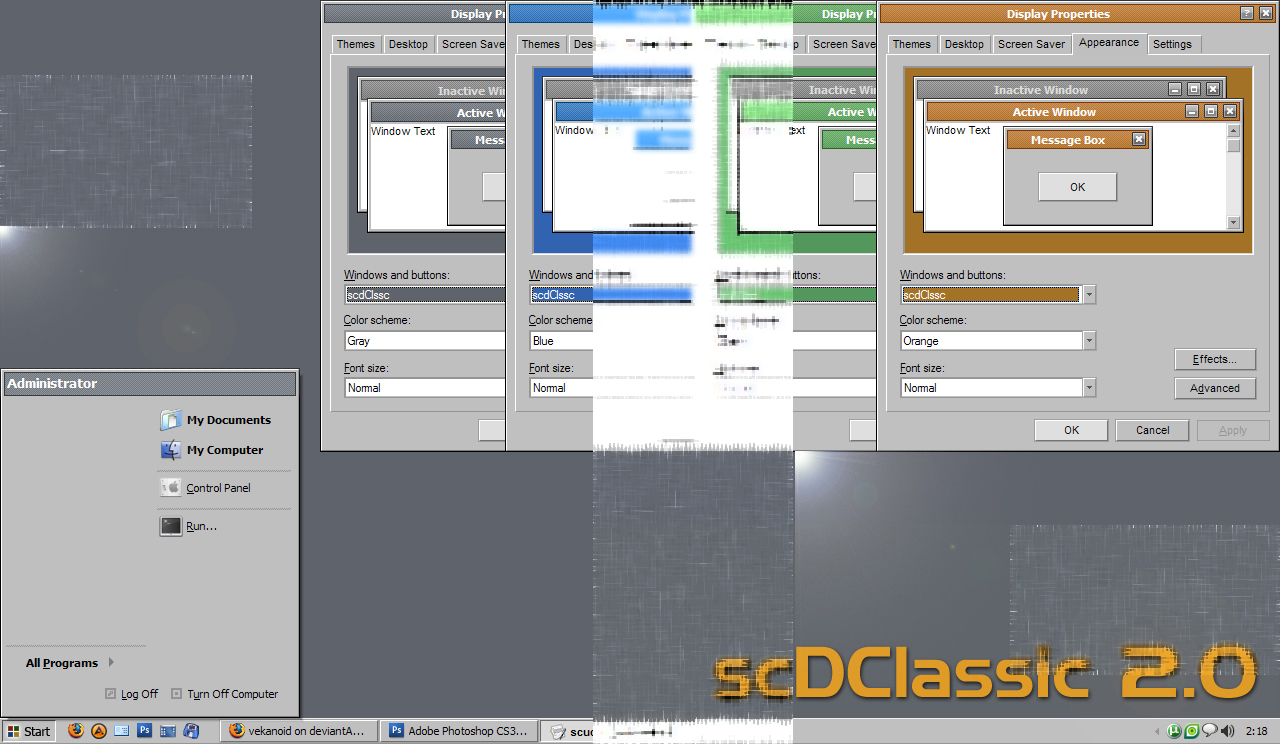
Allmost all parts of VS are reworked. Included 4 color schemes: gray, green, blure, orange. I recommend Tango icons and shellstyle with orange color scheme of this visual style, it fit great.
This style is extremly fast and lite on resources, very easy to use cause looks similar as windows classic with mouseover effects and other goodness.
last changes:
- fixed taskbar group button
- fixed startbutton bug
- fixed fonts sizes
- added new color shemes
- reworked toolbar separator
Enjoy
--
~vekanoid
Hi,
This is reworked Neoclassic visual style by izt -> [link]
Big thanks to him for permission for mod and nice idea for style.
Allmost all parts of VS are reworked. Included 4 color schemes: gray, green, blure, orange. I recommend Tango icons and shellstyle with orange color scheme of this visual style, it fit great.
This style is extremly fast and lite on resources, very easy to use cause looks similar as windows classic with mouseover effects and other goodness.
last changes:
- fixed taskbar group button
- fixed startbutton bug
- fixed fonts sizes
- added new color shemes
- reworked toolbar separator
Enjoy
--
~vekanoid
Comments50
Join the community to add your comment. Already a deviant? Log In

simple & classic ^^... Good Work 
Can you do a skin with Windows 3.1 look??*0*
Can you do a skin with Windows 3.1 look??*0*